
We value your business, and we know things sometimes go wrong. Plenty of sellers in this business work on a "buyer beware" basis. We would rather say "buyer be advised" and tell you exactly what is covered.
A supported console
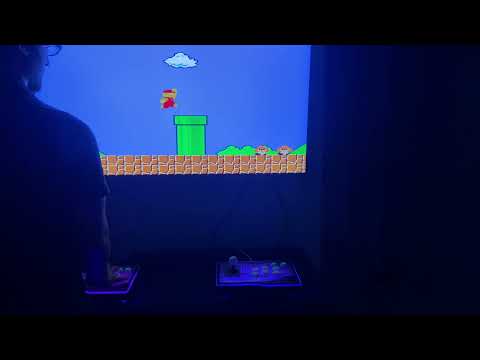
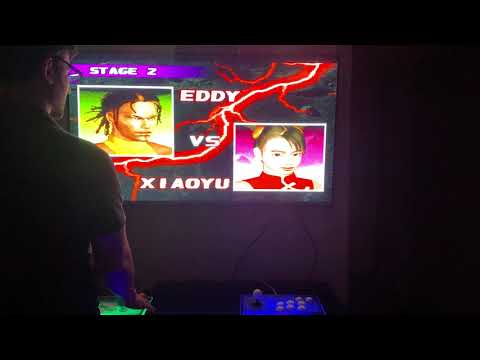
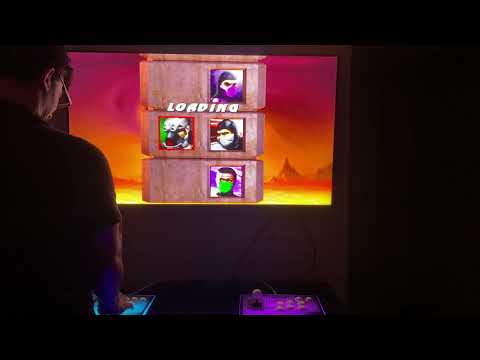
The Pandora Game Console Platinum is a supported console. We build each one from the ground up, then test and certify that it functions as intended. "As intended" means that when your console arrives, it plays games the way you see in our videos and in our reviews.
This device is a lot like a computer, which means user error is possible: file manipulation, inexperienced modification, or a general lack of care. So our warranty is based on functionality. We warranty our consoles to work.
No ifs, ands or buts: we want you to be happy, which is why we offer a lifetime warranty on our products working. Many parts in a console wear with use, so we sell economical part-by-part replacements for all the high-use parts. If you want more performance later, higher-end upgrades are sold separately.
Our Lifetime Warranty covers
- Mainboards powering on
- Power supply powering on
- Main case chassis
- Attachment cords and HDMI
Our limited 90 day warranty covers
- Joystick assembly or tops
- Controller pads or sticks
We do not cover
- Archival cards
- Self hardware modification or software supplementation
- User error
That's it. That is all we feel we need to write to keep our Lifetime Warranty clear and to the point.
Before you call: three quick checks
Most problems we hear about have a simple fix. These three checks come from our troubleshooting FAQ.
Power but no picture
Check the HDMI or VGA connection first. The mainboard has been tested against many HDMI TV models from the past 10+ years, but once in a great while an older, lower-end TV does not support the HDMI output. Try a VGA PC monitor or a newer HDMI TV. If it works there, the older TV is the issue.
Dual Panel second player not responding
The two panels connect with a serial cable, and pulling on it or plugging it in and out a lot can leave it not fully connected. Lit LEDs on the second panel do not always mean a secure connection. Disconnect both ends, check that no pins are bent, then reconnect firmly and screw it all the way in.
Games not showing
Your archive card may need a hard reset. Remove the card fully by clicking it out of place, turn off the console's power, re-insert the card, and power back on. If your games still do not appear, you may need a new archive card; contact us for options. Remember that archive cards are not covered, especially if the card has been accessed with a PC.
Getting help
If those checks do not fix it, contact US SUPPORT. Someone who knows the hardware will walk through the problem with you and work out the right part or replacement. Thank you for your business.
Pandora Game Console
1735 E Charleston Blvd, Las Vegas, NV 89104
Phone: 1-702-827-7701
Email: [email protected]





#pandoraboxplatinum
@pandora_arcade_platinum on Instagram
Our YouTube channel
@pandoraboxarcade on TikTok